It knows your rules. It builds your timetable.
Atlas weighs teacher availability, class load, classrooms and your school's rules, all in one flow.
7 days free · No credit card · Start now
Designed not just to generate a schedule, but to manage one.
Define your rules. Atlas pre-checks, builds, and explains — then version control and manual editing keep you in charge.
Pre-check
Catches impossible cases and high-risk conflicts before generation starts.
Smart generation
It doesn't just fill empty slots — it weighs teachers, classes, rooms and preference rules together into a schedule you can actually run.
Explainable results
See which preferences were honored, which were relaxed, and why — clearly. And if no timetable can be built, why not.
Managed versions
Save, compare, publish and roll back schedules with confidence.
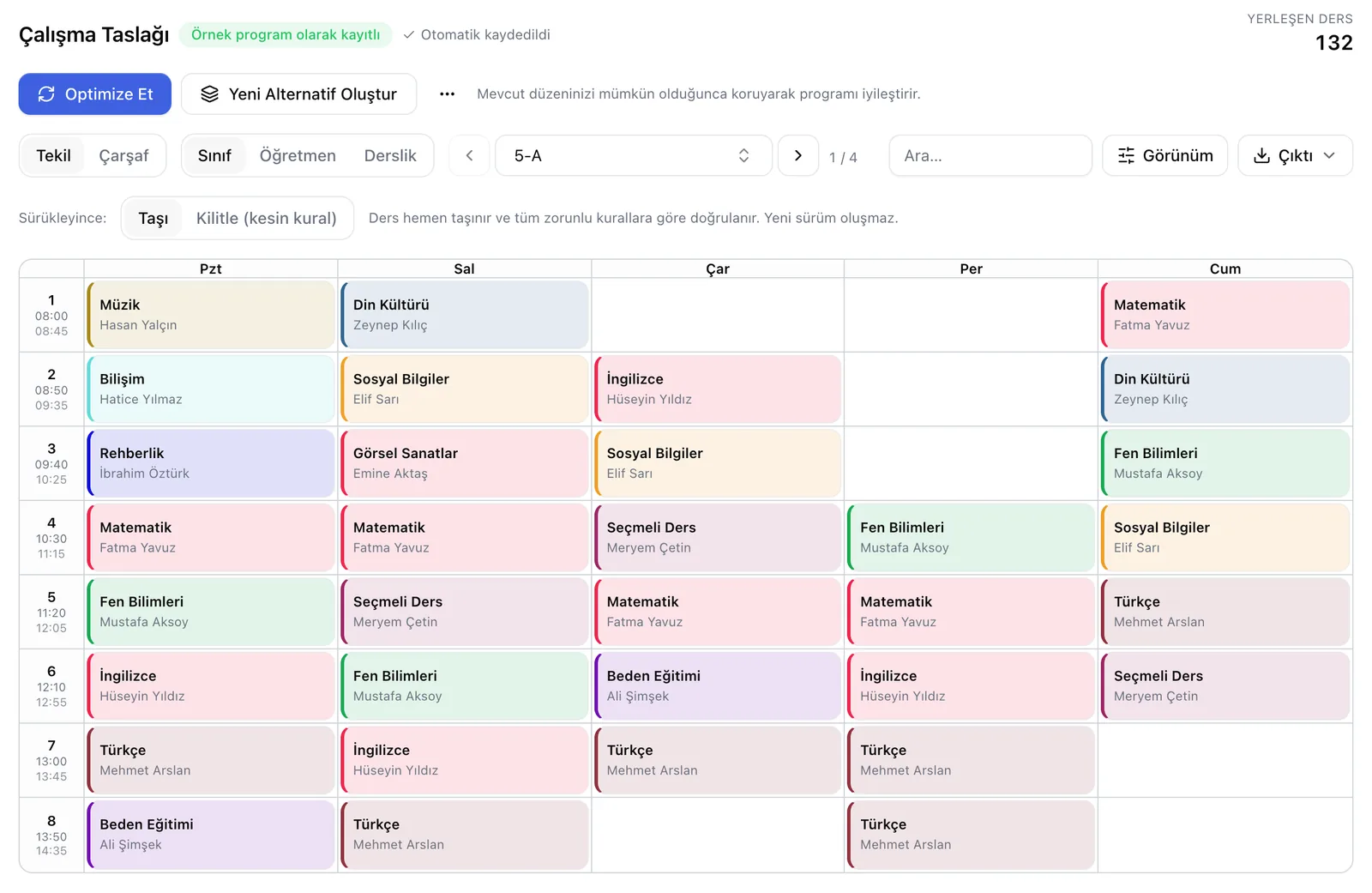
A timetable Atlas built.
This screenshot is from the ready-made sample school in Atlas. Atlas built the timetable; no teacher, class or room clashes.
Building the timetable is only half the job. Knowing why it failed is the other half.
When a timetable can't be built, Atlas finds the obstacle, proves it, and shows the change that actually works.
It doesn't guess. It tests.
Every recommended fix is re-run across the whole timetable before you see it.
Atlas proved it: no timetable exists under these rules
Cause provenPinning 12B Maths to Monday periods 1-2 blocks the rest of the timetable from being placed.
This pin breaks the forced chain of placements for teachers who have no slack left.
- Maths teacher12/12 periods full
- Physics teacher8/8 periods full
- Chemistry teacher16/16 periods full
Pin removed → timetable built
- Every lesson placed
- No hard rule broken
12 records conflict together; relax any one of them and it resolves.
Remove the 12B Maths pin
Atlas re-ran the whole timetable with this change: every lesson placed.
11 alternatives tested; 7 were not enough on their own.
A calm interface over deep functionality.
Schedule view, reports and explanations — same language, same theme.
A schedule that reads at a glance
Weekly view by class, teacher or room. Blocks, free periods and double lessons jump out without effort.
Frequently asked
What schools ask most when choosing timetable software.
What is Atlas Timetable?
Atlas Timetable is web-based software that builds a school's weekly timetable and its teacher duty roster. The school enters its teachers, classes, subjects, rooms, bell times and rules; Atlas builds a clash-free timetable. When a timetable cannot be built, Atlas shows why. Atlas is developed by OKULUMNET, based in Kayseri, Türkiye.
Which schools is Atlas for?
Any school that builds its own weekly timetable: primary and secondary schools, independent and international schools, and tutoring centres. It is usually used by the deputy head or administrator who owns the timetable. One Atlas account manages one school's timetable today.
Does it need installing?
No. Atlas runs in the browser; nothing is installed on a computer. The interface is in Turkish and English, and you can start as soon as your account is open.
How is the timetable built automatically?
First you describe the school: enter teachers, classes, subjects, rooms and bell times, or import them from an Excel/CSV file. Then you add your rules. When you press Generate Timetable, Atlas checks the data by itself, builds a clash-free timetable and improves it to meet your preferences as well as it can. You review it on screen, edit it, save it as a version and publish it.
How are teacher and room clashes prevented?
A teacher in two classes at once, a class in two lessons at once or a room used twice in the same period are required rules in Atlas; a timetable is never built with them. A lesson is not placed in a room too small for it. When you change the timetable by hand later, every change is checked again before it is saved.
What outputs does it produce?
Class, teacher and room timetables; a master sheet with the whole school on one page; A3, A4 and A5 printing; PDF and Excel files. A published timetable can be emailed to each teacher with their own schedule. There is also an export in Atlas's own XML format. More: Master timetables and teacher schedules
Can I try it for free?
Yes, Atlas has a 7-day free trial; no card is needed and nothing is charged when it ends. During the trial you build your own timetable, edit it and compare versions; you can also start from a ready-made sample school. Printing, PDF/Excel output and emailing teachers open with the annual licence.
How do I ask for a demo?
Two ways. To try it now, open a free account and start with your own school or the ready-made sample school. To talk first, send a demo request from the form on the contact page and our team will get back to you.
Try Atlas with your own school.
Sign up, enter your own data, build your timetable. Free for 7 days, no card details.